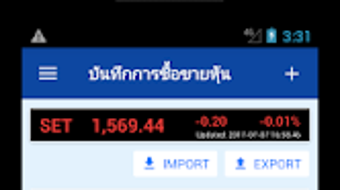

Download บนทกการซอขายหน – stock trading, dividend tracking, portfolio management, investment tracking, stock analysis
Overview
บนทกการซอขายหน is a free Android application developed by MonwonIT, designed for individuals engaged in stock trading and investment management. The app serves as a dedicated tool for recording and tracking buy, sell, and dividend transactions related to stock investments. It is tailored for users who need a simple yet effective way to monitor their financial activities in the stock market. By capturing essential transaction details such as stock symbols, quantities, and prices, the app enables users to maintain accurate records of their investment history. This functionality supports informed decision-making by providing a clear view of investment performance over time.
The app is particularly useful for retail investors and active traders who want to stay organized without relying on complex financial platforms. It allows users to input transaction data manually, ensuring flexibility in data entry regardless of the brokerage or trading environment. The developer did not provide additional information about the company’s background or history, but the app’s focus on core financial tracking suggests a practical, user-centered design philosophy. Real-world usage scenarios include daily tracking of portfolio movements, calculating investment returns, and preparing for tax reporting by maintaining a structured record of realized gains and losses.
Key Features & Capabilities
- Transaction Recording: Users can log buy, sell, and dividend transactions with key details like stock symbol, quantity, and price, enabling accurate tracking of investment activity.
- Average Cost Calculation: The app computes the average cost per share based on multiple buy transactions, helping users understand their effective entry price.
- Performance Summary: It provides a consolidated overview including average buy price, average sell price, total dividend amount, and realized profit or loss.
- Portfolio Management: The tool supports ongoing management of stock holdings by organizing transaction history and offering analytical insights into investment performance.
- Investment Tracking: Users can monitor their investment progress over time, facilitating better strategic planning and financial evaluation.
These features are especially valuable for users who manage multiple stocks and want to assess their overall portfolio health. For example, an investor can use the average cost feature to evaluate whether a stock is performing above or below their break-even point. The summary dashboard helps identify trends in dividend income and realized gains, supporting long-term investment strategy refinement. The app’s functionality is well-suited for users who prefer a lightweight, focused tool rather than a full-featured financial suite.
User Interface, Workflow & Performance
The app features a straightforward user interface designed for ease of use, allowing users to navigate through transaction entry, data review, and summary views without requiring prior technical knowledge. Navigation is likely structured around a central menu or tab-based layout, typical of mobile productivity tools. Users can input transaction data in a step-by-step format, with fields for stock symbol, quantity, price, and transaction type.
Workflow efficiency is enhanced by the app’s ability to process and display results immediately after data entry. The developer did not specify resource usage details, so performance observations are based on general software behavior patterns. The app’s lightweight design, with a file size of 12.5 MB, suggests minimal impact on device performance. Stability and responsiveness are expected to be consistent with similar lightweight Android applications. However, exact CPU or RAM behavior was not disclosed, and no information was provided regarding background processing or sync capabilities.
Compatibility & System Requirements
บนทกการซอขายหน is designed for Android operating systems. The app is available in version 1.0 and has a file size of 12.5 MB. It is compatible with Android devices that meet the minimum requirements for running standard productivity applications. The developer did not specify exact system requirements, including minimum Android version, RAM, or processor specifications.
Platform compatibility information is limited, and no details were provided about support for tablets, older Android versions, or specific device models. Installation is straightforward, and the app does not require additional software or system-level permissions beyond basic storage access for data saving. Users should ensure their device meets general Android compatibility standards to run the application smoothly. The developer did not mention cloud sync, backup, or cross-device functionality.
Pros and Cons
Pros
- Free to download and use, making it accessible to a broad audience.
- Simple, intuitive interface ideal for users with minimal technical experience.
- Supports essential stock trading and dividend tracking functions.
- Calculates average cost per share, aiding in investment analysis.
- Provides a clear summary of profit/loss and dividend income.
Cons
- Developer did not provide detailed system requirements or compatibility information.
- No mention of cloud backup or data synchronization across devices.
- Limited to Android platform; no support for iOS or desktop systems.
- Exact performance metrics, such as CPU or memory usage, were not specified.
- Functionality appears limited to transaction recording and basic analytics, with no advanced features like charting or real-time market data.
FAQ Section
Is บนทกการซอขายหน available for iOS devices?
The app is currently available only on the Android platform. There is no information about an iOS version or future release plans.
Is the app secure for storing financial data?
While the app does not disclose specific security measures, it operates as a local tool that stores transaction data on the user’s device. Users are advised to back up their data manually and avoid sharing sensitive information through unsecured channels.
Does the app require an internet connection to function?
The app functions offline for data entry and local calculations. However, no information was provided about online features, updates, or cloud synchronization.
Can I update the app to a newer version?
Yes, updates are available through the Google Play Store. Users can check for new versions and install them as they become available.
What type of license does บนทกการซอขายหน use?
The app is free to download and use. No subscription or paid features were mentioned, and the license type was not specified by the developer.
Final Thoughts
บนทกการซอขายหน offers a practical solution for individuals seeking a simple way to manage stock transactions and track investment performance. Its focus on core functionalities—transaction recording, average cost calculation, and performance summary—makes it a reliable tool for active traders and retail investors. While it lacks advanced features like real-time market data or cross-device sync, its lightweight design and free access enhance its appeal. The app is particularly beneficial for users who prioritize data organization and basic financial analysis without the complexity of full-featured platforms.
For those looking for a no-frills, Android-based tool to stay on top of their stock portfolio, บนทกการซอขายหน delivers essential capabilities with minimal overhead. It is a suitable choice for users who value simplicity, cost-effectiveness, and straightforward functionality. Download บนทกการซอขายหน now to streamline your investment tracking and gain better control over your financial activities.





.png)

